KiraStudio 1.1.0 Highlights
KiraStudio 1.1 was just released! You can download it here.
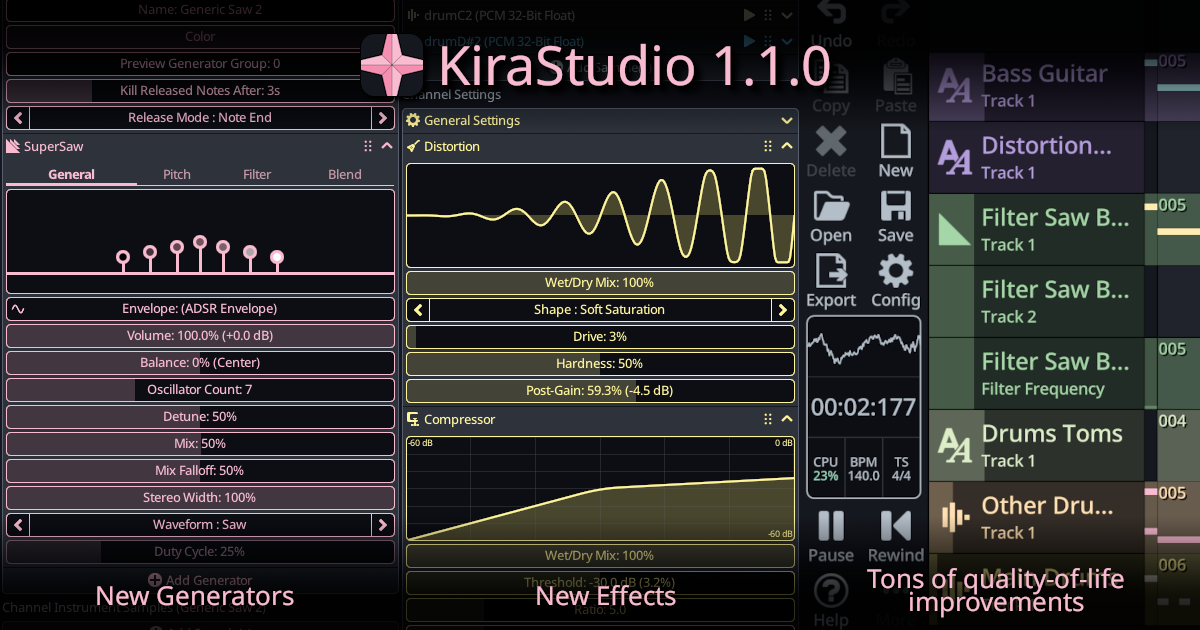
This page gives a detailed change log and showcases a few of the most interesting new features and how to use them.
Note that you can always visit the change log section of the documentation for a summary of each releases, including smaller bug fix releases.
Change Log
Changes:
- Introduced the CloudSeed reverb effect
- Introduced a Compressor with optional side-chain support
- Introduced a Distortion effect
- Introduced a SuperSaw generator
- Introduced a generic noise generator
- Added dedicated filters to all generic generators
- Expanded ADSR envelope support to most parameters (no longer limited to 0–100% ranges)
- Added support for custom tuning (A not 440 Hz), fully automatable
- Added 16-bit WAV export option
- Channels can now be exported as separate audio files
- The note parameter editor in the piano roll is now resizable
- Added MIDI controller input support on mobile
- Added velocity support for MIDI controller input
- Most objects (songs, instruments, channels, tracks, effects, generators) can now be duplicated
- Improved multi-selection: hold CTRL to add to selection across most views
- On mobile, long-press "Del" in the 8-bit Calculator to clear the expression
- Patterns can now be merged into larger ones using the option from the context menu
- Added mixdown and L/R swap options to the Pan effect
- Generators and effects can now be muted individually
- Added scale highlighting to the piano roll
- Delay effect now supports quarter-note units, smooth delay time automation has been fixed
- Songs and instruments can now be imported from other projects
- Added sorting and filtering to the sound font preset list
- Added a progress bar during project and sound font loading to prevent freezes/crashes on some mobile devices
- Added a temporary loop section in the sequencer
- Added basic support for generator groups with arpeggios (switching groups stops previous arpeggiated notes)
- Added BPM and time signature indicators to the toolbar, along with general UI improvements
- Added a preview generator group on instruments
- The first loop of the SMPL chunk in wave files is now imported
- Multiple parameter curves can now be edited simultaneously (other curves will match the edited one)
- Pressing the playhead play button now correctly starts playback
- MIDI export now exports velocity and slide notes, but pitch bend will affect all playing notes
- More complete online documentation
- Performance improvements on all platforms
- Added Spanish translation (thanks LagMage!)
Breaking/Behavior Changes:
- Samples have been moved from the project to the instruments. This conversion will be done automatically when opening older projects, duplicating samples if needed. Samples that were loaded but unused by any instruments will be discarded.
- The "transpose" parameter will no longer be rounded to an integer and can now smoothly glide between notes.
New Features Showcase
New Effects : Distortion, Compressor and CloudSeed reverb
By far, these 3 effects have been the most requested since the initial launch.
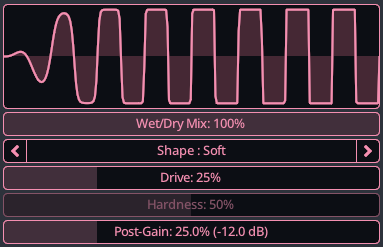
The new distortion effect has adjustable drive and multiple shaping modes. It focuses purely on waveshaping and clipping, leaving tone shaping and filtering to be added separately in your signal chain.
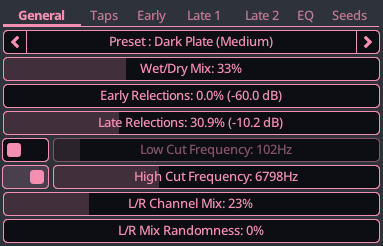
The original release included Freeverb, which is very simple to use, but quite limited in functionality. Cloud Seed sits at the opposite end of the spectrum in terms of power and complexity. It is an algorithmic reverb plugin, designed for emulating huge, endless spaces and modulated echoes. It offers extensive control with dozens of parameters. While challenging to master, it can produce exceptional reverb in experienced hands.
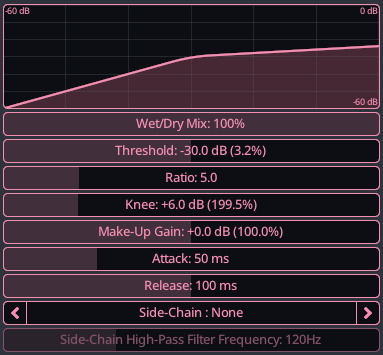
Finally, we now have a versatile compressor that reduces dynamic range by attenuating signals above a threshold. It features adjustable ratio, soft knee, attack/release timing and makeup gain for transparent or punchy dynamics control. The compressor effect can optionally use another channel as a side-chain.
Head over to the Effects Reference section of the documentation for more information.
New Generators : SuperSaw and Generic Noise
KiraStudio 1.1 also introduces a couple of new generators.
The SuperSaw needs no introduction. While KiraStudio's implementation take inspiration from the Roland JP-8000, it is not trying to match its sound in any meaningful way. It simply takes the idea of stacking multiple waveforms, and gives you an adjustable voice count, detune spread, and blend between center and detuned voices. It can also use waveforms beyond a traditional saw.
Although you can create a SuperSaw by layering several Saw generators, this dedicated generator simplifies the process into a single oscillator.
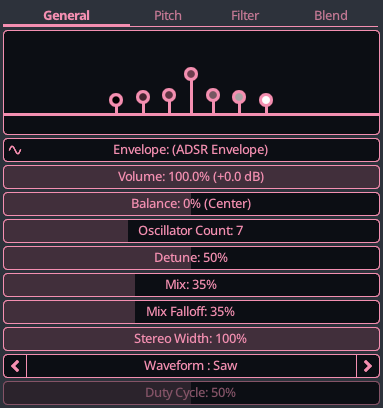
One of glaring omission in the original 1.0 release was the lack of a proper noise generator. The tutorial made this obvious by relying on the GameBoy noise to create percussion sounds.
We now have generic noise generator supporting white, pink, brown, and LFSR noise types. The optional pitch tracking allows it to follow musical notes, much like what the NES and GameBoy noises do normally.
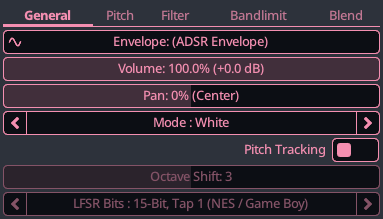
Head over to the Generators Reference section of the documentation for more information.
Dedicated filters on all generic generators
The original 1.0 version included a Filter effect which can apply various filters (low-pass, high-pass, etc.) to the generated audio. This approach is good for general filtering but is not able to properly follow the envelope of a note, since audio effects are applied after all the audio of a channel has been generated. By that point, the notion of notes starting and stopping does not exist anymore.
KiraStudio 1.1 improves on this by adding filters on every generic generators. These filters are the same as the regular filter effect, but are applied to each individual note of that generator, as opposed to the raw audio of an entire channel. This mean that you can use Trigger envelopes to affects the filter frequency or Q/bandwidth.
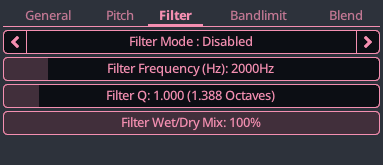
To help support this feature, support for ADSR envelope automation has been expanded. In 1.0 ADSR envelopes could only be used for volume-like parameters. You can now use them on a much wider range of parameters. This mean you can now use ADSR envelopes to drive filter frequencies or bandwidth to create things like wah-wah effects.
A min/max value was also added to the "Preset" section of the ADSR envelope editor for maximum flexibility.
Custom tuning (A != 440Hz support)
KiraStudio 1.0 was locked to A = 440Hz. In 1.1, we added a general tuning parameter for each song. This parameter can even be automated to dynamically change the pitch mid-song.
The tuning parameter is located right besides the BPM paremeter, on the master channel.
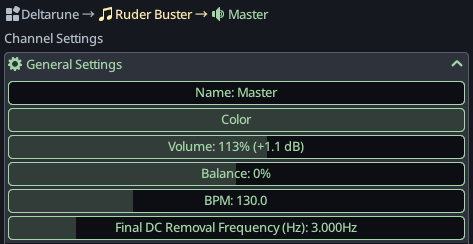
Head over to the section discussion the Master channel for more information.
MIDI controller support on mobile
In KiraStudio 1.1, we are adding support for MIDI controllers on mobile, on both IOS and Android. This mean you can connect a MIDI controller and use it to preview instruments. On top of that, the MIDI velocity will now be considered when using a controller. Please note that by default, velocity will only have effects on SoundFont generators. For other types, velocity needs to be configured using the dynamics feature, which can adjust the speed/amplitude of various envelopes.
KiraStudio's MIDI capabilities remain very limited. As of 1.1, you still cannot use MIDI to record anything. We are making small improvements and will keep doing so in the future.
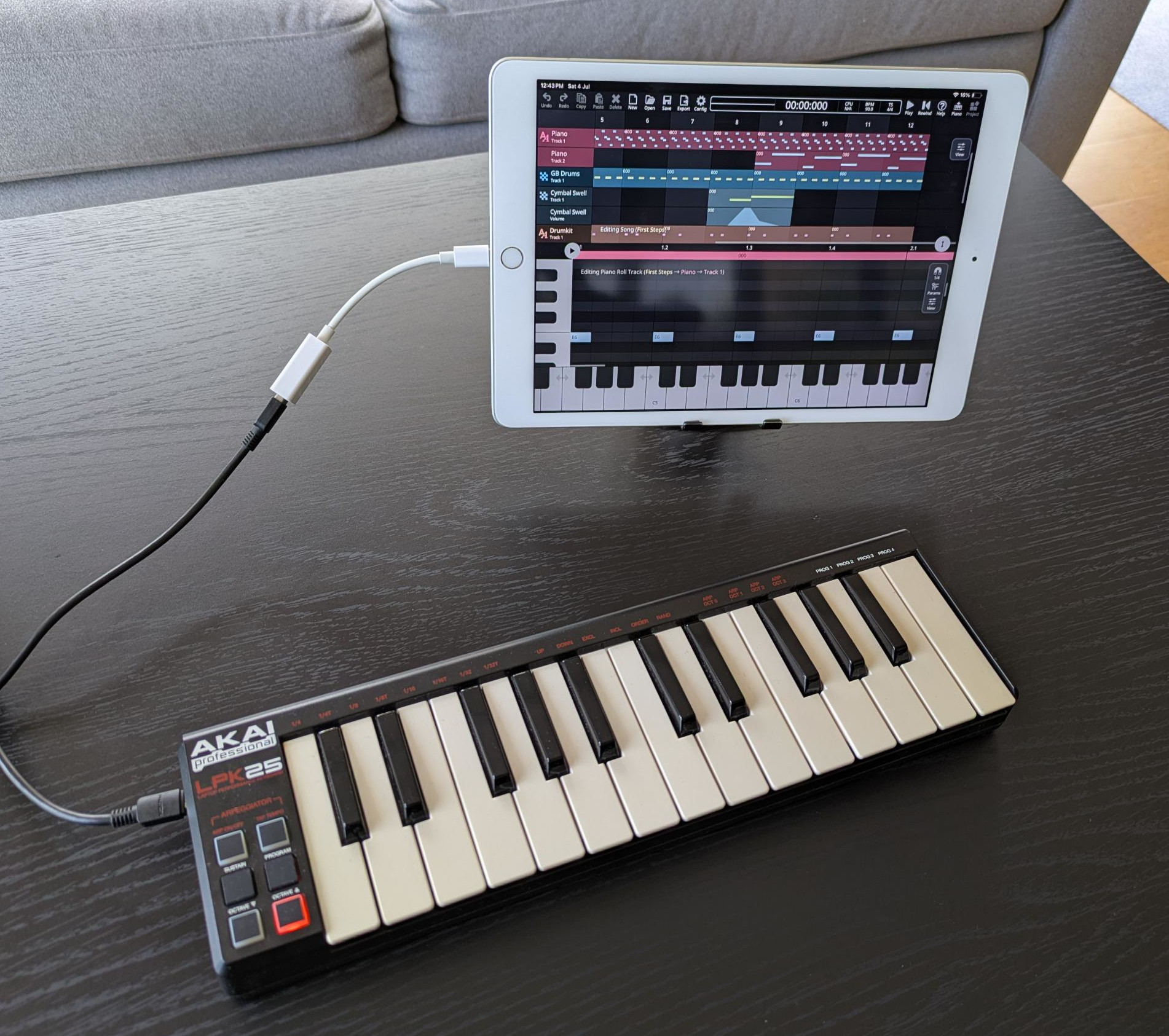
Temporary Loop section
The Sequencer now features an optional, temporary loop section. This allows to continuously repeat a few bars of a song you are working on. To enable the loop section, simply check the option from the floating toolbar and set the start and end bar.
This feature should not be confused with the loop point. The loop point is the (albeit primitive) equivalent of a repeat bar line in sheet music, a point to jump too when the song ends.
The new temporary loop section is simply an tool to iterate on a section of a song and has no impact on the audio that will be exported, while the loop point will.
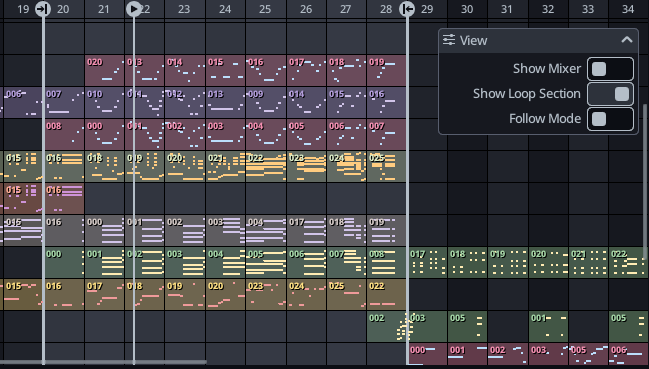
Improved toolbar
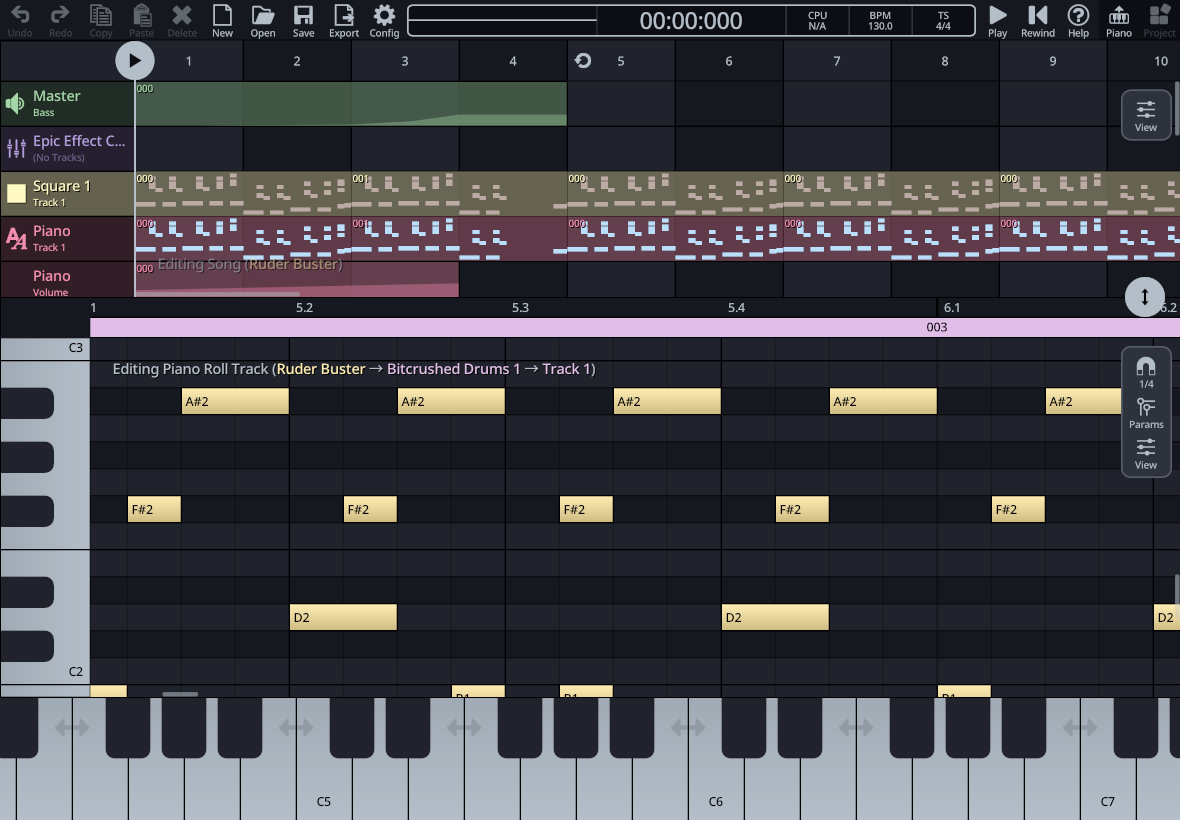
After the initial release of 1.0, a lot of users found it difficult to locate things like the BPM and time signature of the song. The former sits in the Master channel's parameters and can be automated, while the latter is in the Song parameters (and optionally in the custom time signature of each bar, if there are time signature changes).
To help new users find their way around the app, the toolbar was expanded to explicitely show the BPM and time signature. This is fairly common in mainstream DAWs. Clicking or tapping on either of these will open the Project Explorer at the right location. They will also update in real-time as the song play to reflect tempo changes.
The CPU-meter also now has it own dedicated area. Clicking or tapping the CPU meter will kill all preview audio. On desktop this could always be accomplished by pressing the Esc key, but now mobile also has that option.
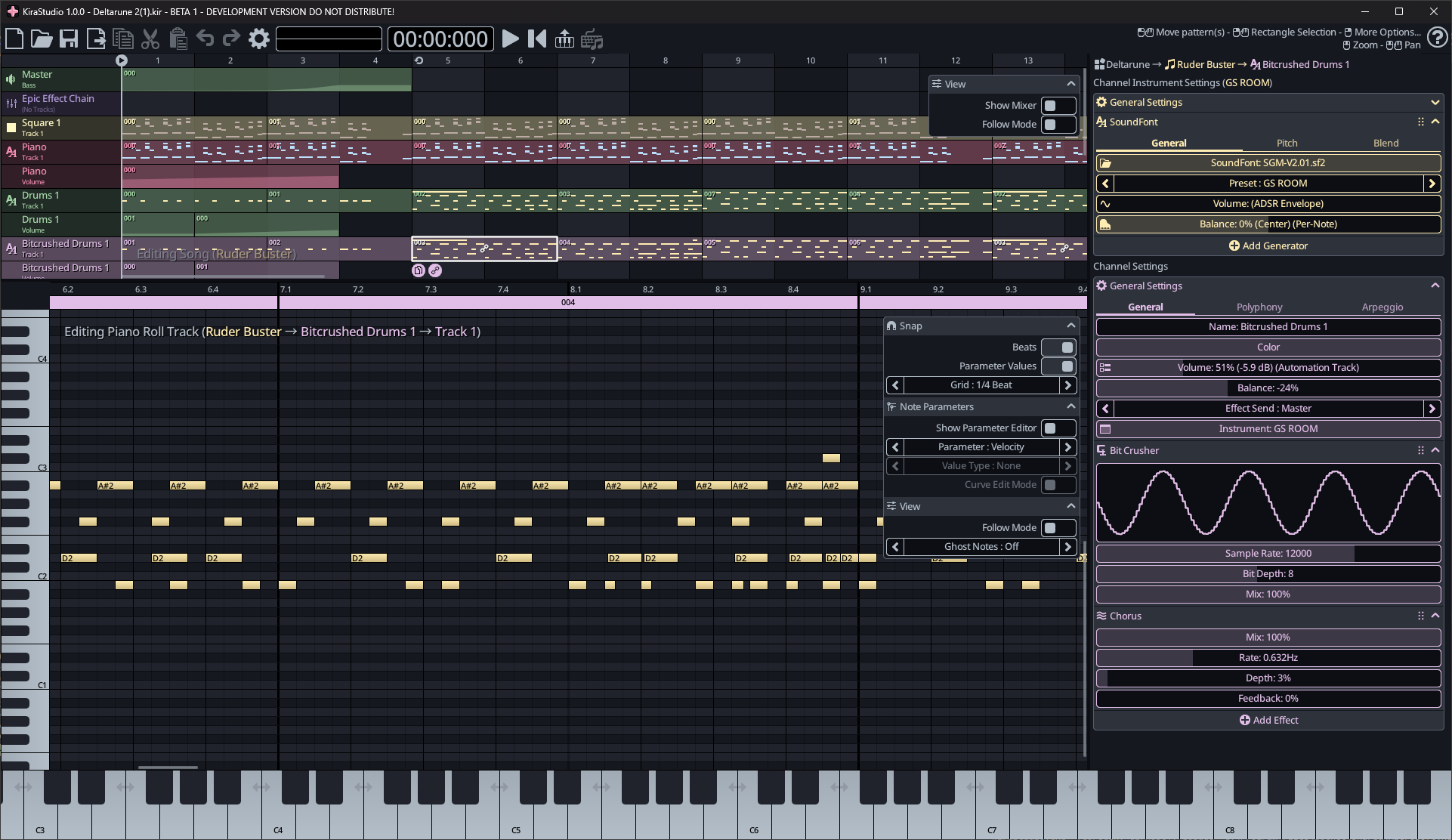
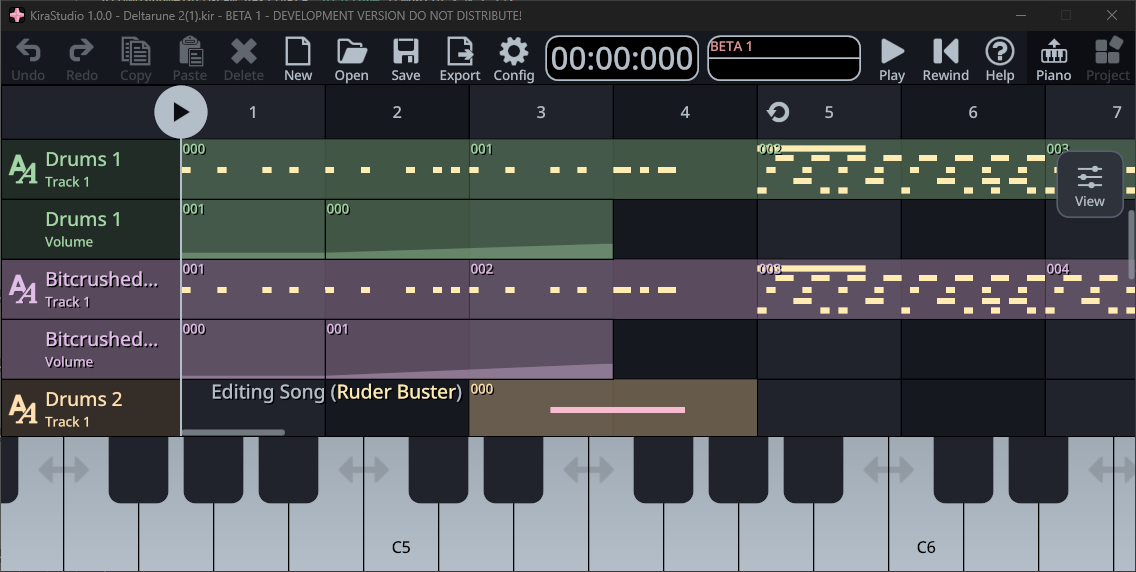
Ability to import song and instruments from other projects
This one is fairly self explanatory. Importing song from other projects allows merging individual songs into a single, multi-song project. Importing instruments opens the door to things like instrument sharing. You can now re-use instrument from past project, or create projects that are essentially instrument libraries and send those to people, for them to import.
To import songs or instruments, simply press the Add Song(+) or Add Instrument(+) buttons in the Project Explorer and you will be given the option.
Completed documentation
When 1.0 launched a few months ago, the documentation was still very incomplete. This has been rectified and will continue to evolve at each release. Simply click on the "User Guide" button above or use the Search function to find answers to all your questions.