Generators Reference
This page contains some reference on all the generators present in the app.
Generators are little modules able to produce one type of sound and are the building blocks of instruments. The stack of generators is evaluated from top to bottom. Their outputs are combined based on the blend mode specified, like Photoshop layers, to generate the audio of an instrument. By default this will be a simple sum.
With a few exceptions (SoundFont, for example), most generators that output basic waveforms have been calibrated with a -12dB reduction baked it, meaning they output at an amplitude of -0.25 to 0.25 by default, and not -1 to 1.
Emulation Accuracy
For generators emulating actual hardware (NES, Yamaha, Game Boy), some notes about the emulation accuracy will be provided for each.
Please note that in-general, for these retro consoles, this app is not trying to achieve high-accuracy emulation. It provides users with a lot of "fakebit" freedoms. Therefore some compromises are made to strike a balance between fidelity and ease-of-use. The goal is to sound "good enough" to fool non-expert or people not looking for flaws. For accurate emulation, trackers and other dedicated tools should be used.
Here are some general notes on emulation accuracy that apply to all the hardware-specific generators (NES, Yamaha, Game Boy, etc.). More specific notes will be provided on each system in their respective sections.
-
Each note playing will emulate its own individual hardware channel. For instance, a 3 notes chord will internally spin up 3 completely separate hardware systems, each generating the audio of their respective note/channel, then the output will be recombined. This is different from how real hardware would behave, and does not allow channels to interact with each other (multiplexing, exotic DAC behaviors, etc.), which is something that does happen on some systems.
-
On the plus side, this allow higher polyphony than these systems could achieve. You are responsible for limiting the polyphony yourself if you truly want to sound retro.
-
The app give you infinite ROM/disk space. That being said, this does not mean you can play samples or use wavetables longer than what the original systems could do. It simply mean you somehow have a very large cartridge or disk to work with.
-
Volumes are not hardware accurate. Some consoles had very specific volume ratios between the different channels, sometimes with non-linear effects thrown in. KiraStudio outputs almost every generator at -12dB. You are responsible for adjusting those to match the hardware you are trying to replicate.
-
When systems can run in multiple regions (NTSC, PAL, etc), only the native version will be provided. For Japanese system, this mean NTSC only.
-
Whenever a new note is triggered, in most cases, the phase of the signal is resetted. This mean, for example, that a square wave will restart its cycle from the beginning. On real hardware, this would need to be done manually, but KiraStudio does in for every note. More control over phase may be added in the future.
Common Parameters
Some parameters are presents on multiple generators and will documented here to avoid repetitions.
General Parameters
These parameters may be present on almost any generators.
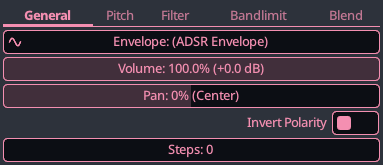
- Envelope : This is the main volume envelope of the generator, and needs to be driven by an ADSR envelope, a custom curve or a sequence. This volume will appear in different unit depending on the type of generator. It may be a simple linear amplitude (0 to 100%) for Generics generators, while it may range from 0 to 15 for an NES generator to better help you match the hardware. In term of amplitude, the Envelope parameter does the exact sample thing as the Volume parameter, but it is also what dictates the lifetime of a note. Any note whose Envelope parameter reaches zero while in its release phase will be killed and freed.
- Volume : This is an additional volume control. You can use it to balance the volume of this generator with respect to other, or automate it to create a tremolo effect. Unlike the Envelope parameter, this volume has no effect on the lifetime of a note. A note with zero volume will still keep playing and count in the total polyphony of a channel.
- Pan or Balance : This parameter will appear as Pan for generators that are inherently mono, but can be expanded to stereo (ex: Generic Saw) and it will appear as Balance for generators whose output is natively Stereo but can be further re-balanced (ex: SoundFonts). Panning distributes a mono signal in a certain proportion to the L/R channels, while balancing takes a stereo signal and attenuates one side.
Pitch Parameters
These parameters regroup parameters that can either alter the pitch of the note being played, or control how the generator responds to the note being played.
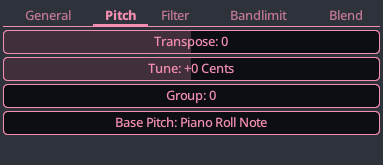
- Transpose : This is a coarse transposition parameter, in semitones. This can be used to play notes 1 octave higher than they should, for example. Can be automated to create arpeggio-type effect.
- Tune : This is a more fine-grained transposition parameter, in cents. Can be automated to create vibrato effects, for example. Behind the scene, transpose and tune and combined and are one and the same. They are simply split into coarse/fine for convenience.
- Group : Each generator can be part of a Generator Group. There are up to 8 groups and each note in the piano roll can trigger a single group. This allows intruments to produce different sounds by only activating certain generator. Example uses cases : a fingered bass that can be slapped occasionally, strings that can sometimes play pizzicato, etc. This avoid creating multiple instruments when they are logically the same.
- Base Pitch : Usually, a generator will use the note being played to determine the frequency it should produces. This settings allows you to override this behavior and have a generator output a fixed note. This can be useful when combining multiple generators and wanting to keep one at a fixed frequency, regardless of the note being played. For example, one could create a "Tim Follin" snare by have a noise generator playing a fixed frequency, along with a rapidly descending triangle or square wave that does start at the note being played.
Filter Parameters
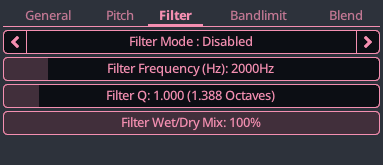
These parameter allows you to have apply various filter to the generator. These filter are the exact same that you would find in the Filter Effect so they will not be documented here.
The main different here is that the filter on the generator is applied on each individual note of that generator, while the Filter Effect is applied on the entire audio output of a channel.
This mean that you can use Trigger envelopes to affects the filter frequency or Q/bandwidth, which is not possible on the effect since by that time, all channel audio has been mixed and there are no more notion of notes starting and stopping.
Bandlimit Parameters
For some retro generator or generators with large discontinuities (square waves, saws/triangle waves with steps, etc), we synthesize the audio using a band limited step (BLEP) and the Bandlimit parameters will be editable. The basic principle is explained here by the idea of this technique is to generate the audio while keeping the frequencies below the Nyquist, reducing aliasing, without having to supersample or post-filter.
This technique also takes care of DC removal, which is required on some hardware that output audio with a DC component. All of these help to more closely matches the behavior of the various hardware KiraStudio handles.
Note that while these provide some form of low-pass/high-pass functionality, these cannot and should not be used as filter effects. These settings are used during the actual synthesis of the waveform and should not be thought of as an audio effect.
- Treble Attenuation : How much to attenuate high-frequencies during the waveform generation (low-pass filter).
- Treble Rolloff Frequency : The frequency (in Hz) at which high-frequencies start to be attenuated by the low-pass filter.
- Bass Frequency / DC Removal : The frequency (in Hz) of the high-pass filter used during the waveform generator, used to remove DC and center the waveform.
- Recenter DC after notes : When enabled, will smoothly recenter the DC after a note to eliminates popping on abrupt releases.
Blend Parameters
When multiple generators are used on an instrument, their respective output are usually summed together to get the final output. While summing is the default, it is not the only options. Much like Photoshop layers that can be blended in various way, so can generators.
For any generator that is not the first (top) in the stack, the Blend parameters will be editable.
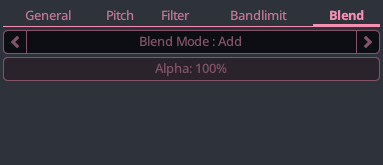
- Blend Mode : How this generator blends with the previous one (above) on the stack. There are currently only 2 blend mode : Add and Mix. Add is the default and simply sums the audio, Mix performs alpha blending (linear interpolation) using the Alpha parameter.
- Alpha : Alpha parameter of the blend, its effect will vary depending on the blend mode. For Add it will simply act as a volume adjustment, for Mix it will be the blend factor of the linear interpolation (
output = gen1 * (1 - alpha) * gen2 * alpha). This parameter can be automated to create interesting effects.
Generic Generators
The generic generators are basic synths provided with the app. They do not try to emulate any particular device. They are meant easy to use and customizable.
 Saw
Saw
A generic sawtooth waveform with configurable steps and direction, ideal for bright leads, rich basses, and harmonically complex sounds typical of subtractive synthesis.
When the saw is smooth (The steps parameter is zero), bandlimiting is achieved using a simple PolyBLEP. When it is stepped, it uses a a band limited step (BLEP) and the bandlimiting parameters will be editable.
- Invert Polarity : When enabled, the saw will go down, instead of up.
- Steps : The number of steps to divide the saw ramp into, 0 is perfectly smooth and low non-zero values can help sound more retro.
 Square
A generic pulse waveform with precisely adjustable duty cycle, great for clear melodies, rich harmonies, and classic chiptune tones with adjustable brightness and character.
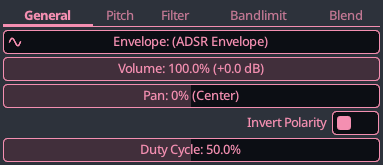
- Invert Polarity : When enabled, flips the polarity of the square wave.
- Duty Cycle : The percentage of time the pulse waveform is kept high. Sometimes called Pulse Width when talking in absolute time duration.
 Triangle
A generic triangle waveform that can be smoothed or stepped, perfect for soft basses, gentle leads, and clean, rounded tones with minimal harmonics.
When the triangle is smooth (The steps parameter is zero), no bandlimiting technique is used. When it is stepped, it uses a a band limited step (BLEP) and the bandlimiting parameters will be editable.
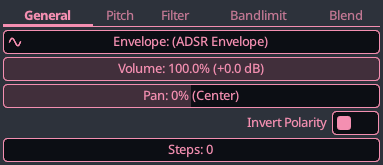
- Invert Polarity : When enabled, flips the polarity of the triangle wave.
- Steps : The number of steps to divide the triangle waveform into, 0 is perfectly smooth and low non-zero values can help sound more retro.
 Sine
Sine
A generic sine waveform producing a pure tone with no harmonics, ideal for sub-basses, smooth leads, and clean modulation or layering in synthesis.
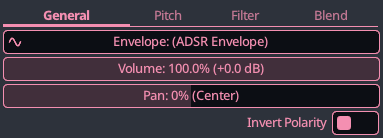
- Invert Polarity : When enabled, flips the polarity of the sine wave.
 SuperSaw
A generic supersaw oscillator with adjustable voice count, detune spread, and blend between center and detuned voices. Can use waveforms beyond a traditional saw.
While this take inspiration from the Roland JP-8000, it is not trying to match its sound in any meaningful way. This generator simply takes the general idea of combining multiple oscillators with some detune and mix settings, something you could also do by using multiple generators on an instrument.
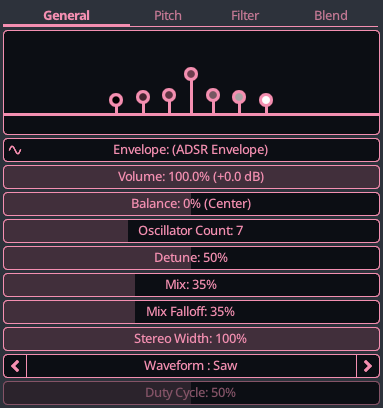
- Oscillator Count : The number of oscillators to combine. The original JP-8000 used 7.
- Detune : The maximum detuning to apply. At maximum value, outermost saws are +/- 50 cents off and the inner saws are proportionally less detuned.
- Mix : How loud the center saw is compared to the outer saws.
- Mix Falloff : How the outer saws taper off as they get further from the center. The original JP-8000 had no falloff.
- Stereo Width : How much to pan the outer saws L/R. At zero the audio is mono, at 100% the outermost saws are only audible in their respective L/R channel.
- Waveform : The waveform to use.
- Duty Cycle : When using a square waveform, the duty cycle of the square wave.
 2/3/4-OP FM
A generic 2/3/4-operator FM synth inspired by classic Yamaha chips, offering more control over algorithms, modulation, and custom operator waveforms beyond simple sines for deep sound design.
This section will not try to explain the concept of FM synthesis here, I will refer you to this fantastic video by Andrew Huang which summarizes the idea in only 4 minutes.
General Parameters:
A little operator diagram representing how the various operators are connected is shown. In the diagram, each box is an operator. Operators connecting to other operators modulate them and are called Modulators. Modulators are directly inaudible, you only hear the effect they have on other operators. Operators outputting to the bottom are called Carriers and contribute to the final audio. Operator 1 will be shown with a line connecting to itself to represent the optional feedback.
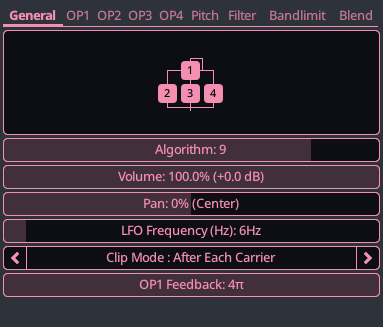
- Algorithm : Defines how multiple operators are connected, shaping modulation paths and timbre.
- LFO Frequency : An LFO is provided and can be use to create tremolo or vibrato on the operators that opt-in. It is important to understand that this is simple and quality of life feature, and regular automation curves can be used to achieve a similar effect.
- Clip Mode : Offers different clipping mode for when the signal goes outside of the valid range. Clipping can be turned off, applied after each operator, or just once on the final combined output of all operators.
- OP1 Feedback : How much OP1's output will be fed back to itself. Low values can make the waveform sound richer, high values can create noise
Operator (OP) Parameters:
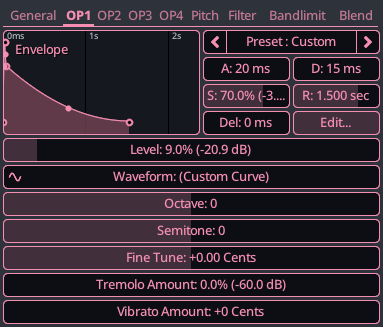
- Envelope : The volume envelope of this operator. On desktop the operators envelope will always be pinned with a mini-editor. You can open the main envelope editor by pressing the "Edit..." button. For technical reason, the operator's envelope cannot be custom curves or sequences.
- Level : Intensity or volume of this operator. For modulators, this control how strong its effect will be on the downstream operator, for carrier this simply is a volume.
- Waveform : The waveform to use in the FM synthesis for this operator. Traditional FM synthesis uses sine waves, but others are available here. Please note the the curve editor isnt able to perfectly represent some curves like sine waves. There is a 1-2% approximation error, which is enough to be audible. When sticking to the presents (Sine, Sine Absolute, etc.), the app will use the analytical form of the curve, removing this error. When using a custom preset, it will use the curve, which may introduce extra audible harmonics.
- Octave : Coarse tuning of this operator frequency, in octaves. For example, +1 octave means a 2x frequency scaling.
- Semitone : Finer tuning of this operator frequency, in semitones. For example, +6 semitones means a 1.5x frequency scaling.
- Fine Tune : Finest tuning of this operator frequency, in cents. Small values can sound similar to the Detune offered by other FM devices.
- Tremolo Amount : How much the LFO of the generator (General tab) affects the volume/level of this operator. You could achieve a tremolo by automating the Level parameter as well.
- Vibrato Amount : How much the LFO of the generator (General tab) affects the pitch of this operator. You could make vibrato by automating the Fine Tine parameter as well.
 WaveTable
A generic wavetable synth using 4 to 8-bit waveforms, capable of cycling through multiple tables at a fixed rate for evolving, dynamic, and textured sounds.
The concept of a WaveTable will not be explained here, please refer to the wavetable section of the documentation for more information.
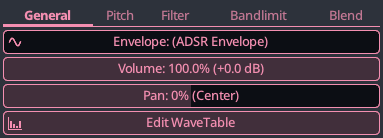
- Edit Wavetable : Press this button to open the wave table editor.
PCM Sampler
A generic PCM (Pulse-Coded Modulation) synth. Assign PCM samples to keys of the piano and optionally extend them over a range to have them be automatically pitched up/down. A optional filter (low-pass, high-pass, band-pass, notch) is available.
The PCM sampler is one of the few sampler offered in KiraStudio. This one supports playback of 32-bit floating point PCM samples. The sample editing workflow is covered in the samples section of the documentation.
For some historical reasons, the PCM sampler plays with a -12dB volume reduction baked in.
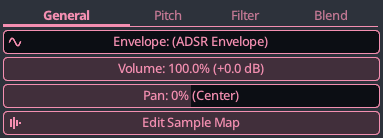
- Edit Sample Map : Press this button to open sample map editor. This sample map supports only 32-bit floating point PCM samples.
 Noise
Noise
A generic noise generator supporting white, pink, brown, and LFSR noise types, with flexible shaping and optional pitch tracking, allowing noise to follow musical notes for tonal or percussive synthesis.
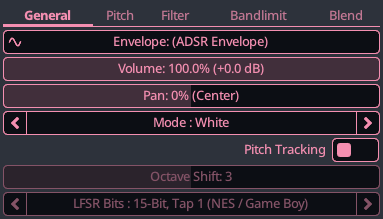
- Mode : The noise algorithm to use. The app currently offers White, Pink, Brown and LFSR. LFSR is recommended if you are trying to achieve a retro gaming sound.
- Pitch Tracking : When enabled, the noise will match the frequency of the note playing. When disabled, will generate 1 new noise value per audio sample.
- Octave Shift : Offsets the noise pitch by an entire octave, allowing you to play lower/higher notes with the piano.
- LFSR Bits : Number of bits in the LFSR noise generators. Less bit sounds more tonal or metallic, more bits sounds more like white noise. There are pretty much presets that can mimic some retro-gaming hardware.
 8-bit Calculator
A generic integer-based programmable 8-bit sound generator similar to Viznut's Bytebeat and Caustic's 8-bit Synth.
Enter a custom function that takes the current time (t) as an input and outputs an amplitude value in the 0-255 range. A additional variable (x) is also provided and may be automated.
Here are some examples of earlyfunctions/formulas that Viznut found.
For a tutorial on how to use the 8-Bit Calculator, please check out this great video from Caustic's 8-Bit Synth, which uses the same idea.
Please do note that the operator precedence in Caustic is non-standard and you will have to change the Operator Precedence setting (or add extra parentheses) if you want to replicate their results. Also, Caustic supports having 2 formulas at the same time (A/B), you can replicate the same by having 2 generators in KiraStudio.
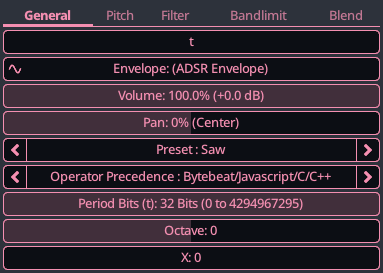
- Expression : The function to evaluate. 't' is the input and advances by 256 every cycle. The low 8-bit of the output value are outputted as audio.
- Preset : Presets provided with the app, Bytebeat presets should be played with a B4 to more closely match their originals (~8000Hz).
- Operator Precedence : Affects the priorities of operators. Caustic's 8-Bit Synth was non-standard and this can be used to match their presets
- Period Bits : The number of bits to use in the period, affects how long sequences can be before repeating. Bytebeat interpreter typically use 32, Caustic used 16.
- Octave : Very coarse pitch adjustment, can transpose by entire octaves.
- X : Additional variable that can be used in the equation, can be used to create interesting effects when controlled by a curve.
 SoundFont
A generic SoundFont synth supporting both SF2 and SF3 (OGG/Vorbis compressed).
The synth supports most of the SounfFont features with a few exception:
- Modulators are only evaluated at key-on, so modulators changing over time or affected by MIDI CCs while the note is playing are currently ignored. This may be improved in the future.
- There is also currently no way to provide inputs to the MIDI CCs at the moment. This may be improved in the future.
- Chorus/reverb effects are purposely ignored since you can add those effect yourself in KiraStudio.
A built-in SF3 version of the GeneralUser-GS by S. Christian Collins is provided.
For historical reasons, the built-in SoundFont has a -1 dB attenuation baked it, so it will sound slightly softer than the original. Otherwise the SoundFont generator itself does not apply any additional volume reduction, unlike most of the other generators.
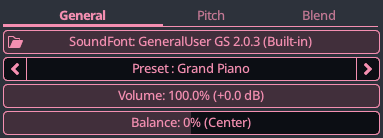
- SoundFont : The soundfont file to use. A warning here means the application could not load the file correctly.
- Preset : The soundfont preset (instrument) to use. Names of presets needs to be unique, as required by the specification, SoundFonts with duplicated preset names may sometimes pick the wrong one.
Yamaha Generators
This section will cover the various Yamaha chips that are supported by the app. Please note that a lot of the parameters are a bit obscure if you are not versed in FM generation. The ultimate reference for these are the spec sheets, which are easy to find online.
If you are new to FM, I would recommend starting with the generic FM generator as it tries to streamline the concept of FM a bit more.
The emulation is done using ymfm which is a fantastic library that emulates pretty much all of the Yamaha chips, please check out their work.
As mentioned in the intro of this page, emulation accuracy is not perfect in KiraStudio, nor is it trying to be. Here are some inaccuracies that you will encounter compared to the real hardware:
-
Each note runs its own little Yamaha chip with a single channel enabled. This mean that things are are supposed to be shared across multiple channels, like LFOs for tremolo/vibratos, are not. So these may go out of sync in KiraStudio, while would not on the real hardware. This may be improved in the future.
-
For the same reason, some of the specific DAC effects present on some chips are not emulated.
 YM2413 FM (OPLL)
The OPLL is a budget FM chip for MSX-Music and Japanese Master System. Provides simple 2-op voices with preset instruments plus one customizable voice. Compact, recognizable "cheap FM" sound.
Emulation is performed at 3.579545 MHz, which is the same as the OPLL found in the MSX.
On a real YM2413, only a single custom instrument can be used at a given time. In KiraStudio, since each note runs its own emulation, there is no such limitation, every generator can use a custom instrument without fear of creating conflict with other notes or instruments paying at the same time.
General Parameters:
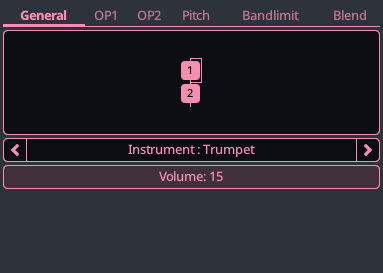
- Instrument : Choose between one of the built-in instrument or make a custom one.
Operator Parameters:
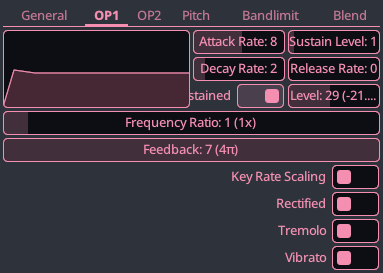
- Attack Rate/Decay Rate/Sustain Level/Release Rate : Yamaha envelope cannot be visually edited like other generators, they use a fixed function and the ADSR values are not in any specific unit.
- Sustained : If disabled, ADSR envelope will be in 'percussion mode' and will released immediately after the decay, even if the key is help pressed
- Level : Volume or level of this operator
- Frequency Ratio : The ratio of this operator's frequency compared to the note being played, 2 would be an octave higher
- Feedback : How much this operator's output will be fed back to itself on the next iteration. Low-medium values can make the waveform sound richer, high values can create noise.
- Key Rate Scaling : When enabled, increases the rate at which the envelope of this operator plays based on how high the key is on the piano.
- Rectified : If enabled, the absolute value of the sine waveform will be used
- Tremolo : If enabled, this operator will alter its volume/level using the LFO. On YM2413, the LFO has a fixed frequency and cannot be adjusted.
- Vibrato : If enabled, this operator will alter its pitch using the LFO. On YM2413, the LFO has a fixed frequency and cannot be adjusted.
YM2612 FM (OPN2)
The OPN2 is the flagship FM chip of the Sega Mega Drive/Genesis. Offers expressive 4-operator FM synthesis, with flexible algorithms and warm, crunchy character from its integrated DAC.
Emulation is performed at 7.670454 MHz, which is the same as the OPN2 found in the Mega Drive.
General Parameters:
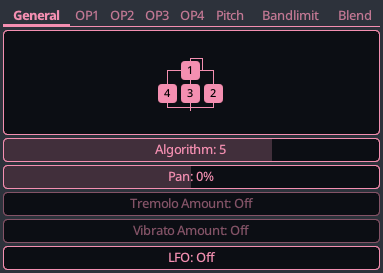
- Algorithm : Defines how multiple operators are connected, shaping modulation paths and timbre. Please see the Generic FM section for an explanation on how to read the diagram.
- Tremolo Amount : How much the LFO of the generator affects the volume/level of the operators that opt-in the tremolo.
- Vibrato Amount : How much the LFO of the generator affects the pitch of all operators.
- LFO : The frequency (in Hz) of the low frequency oscillator.
Operator Parameters:
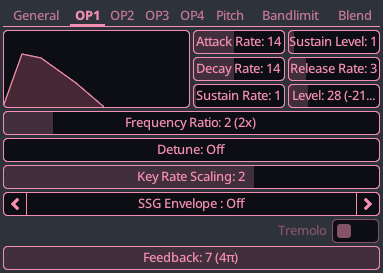
- Attack Rate/Decay Rate/Sustain Level/Release Rate : Yamaha envelope cannot be visually edited like other generators, they use a fixed function and the ADSR values are not in any specific unit.
- Sustain Rate : Rate of the sustain in the ADSR envelope of the operator
- Level : Volume or level of this operator
- Frequency Ratio : The ratio of this operator's frequency compared to the note being played, 2 would be an octave higher
- Detune : Extremely fine tuning of the operator's frequency, used to slightly offset the phase of operators
- Key Rate Scaling : When enabled, increases the rate at which the envelope of this operator plays based on how high the key is on the piano.
- SSG Envelope : Leftover SSG envelope generation that can still be used to interesting effect
- Tremolo :If enabled, this operator will alter its volume/level using the LFO (General tab)
- Feedback : How much this operator's output will be fed back to itself on the next iteration. Low-medium values can make the waveform sound richer, high values can create noise.
YM3812 FM (OPL2)
The OPL2 is found in AdLibs and early Sound Blaster cards. Basic 2-operator FM, multiple waveforms, tremolo/vibrato effects, and percussion mode for DOS game music.
Emulation is performed at 3.579545 MHz, which is the same as the OPL2 found in the original Sound Blaster.
General Parameters:
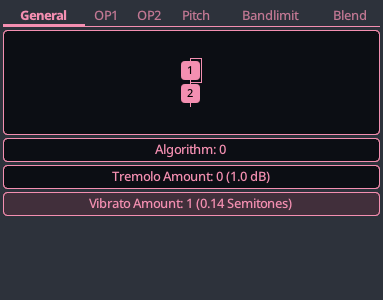
- Algorithm : Defines how multiple operators are connected, shaping modulation paths and timbre. Please see the Generic FM section for an explanation on how to read the diagram.
- Tremolo Amount : Depth of the tremolo for operator(s) that opt-in.
- Vibrato Amount : Depth of the vibrato for operator(s) that opt-in.
Operator Parameters:
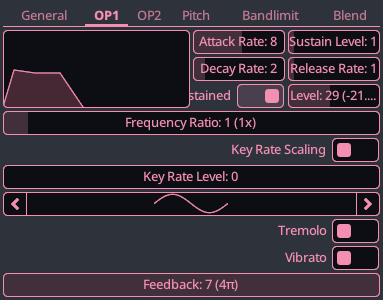
- Attack Rate/Decay Rate/Sustain Level/Release Rate : Yamaha envelope cannot be visually edited like other generators, they use a fixed function and the ADSR values are not in any specific unit.
- Sustained : If disabled, ADSR envelope will be in 'percussion mode' and will released immediately after the decay, even if the key is help pressed
- Level : Volume or level of this operator
- Frequency Ratio : The ratio of this operator's frequency compared to the note being played, 2 would be an octave higher
- Key Rate Scaling : When enabled, increases the rate at which the envelope of this operator plays based on how high the key is on the piano.
- Key Rate Level : When enabled, reduces the volume/level of this operator plays based on how high the key is on the piano.
- Waveform : The waveform to use for FM synthesis
- Tremolo : If enabled, this operator will alter its volume/level using the LFO (General tab)
- Vibrato : If enabled, this operator will alter its pitch using the LFO (General tab)
- Feedback : How much this operator's output will be fed back to itself on the next iteration. Low-medium values can make the waveform sound richer, high values can create noise.
YM262F FM (OPL3)
OPL3 is the successor to OPL2, powering Sound Blaster 16 and others. Offers stereo panning, extra waveforms, and 4-operator voices, defining rich DOS-era soundtracks.
Emulation is also performed at 3.579545 MHz, which is the same as the OPL3 found in the Sound Blaster 16. While this chip could run in both 2-OP and 4-OP mode, KiraStudio only offers the 4-OP mode.
Parameters are extremely similar to OPL2, but with 4 operators.
YM2149 SSG
A YM2149 Software-controlled Sound Generator channel with tone, noise and envelope support. Widely used in 1980s computers and consoles like Atari ST. Similar to the various AY chips. Tone and noise features can be enabled individually or combined together.
Emulation is also performed at 2.0 MHz, which is the same as the YM2149 found in the Atari ST. The real chip which share its envelope across all 3 voices. In KiraStudio, this isnt a concern since each note only emulates 1 single voice for each note. You can use hardware envelopes without having to worry about interference.
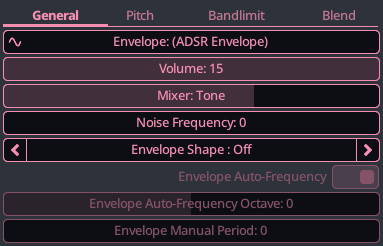
- Mixer : Controls if tone, noise or both are enabled.
- Noise Frequency : Frequency of the noise.
- Envelope Shape : SSG envelopes can be used for attack, looping ones can be used to generate waveforms like saws.
- Envelope Auto-Frequency : When enabled, the frequency of the SSG envelope will be driven by the frequency of the playing, otherwise it needs to be specified manually.
- Envelope Auto-Frequency Octave : Octave of the SSG envelope frequency, relative to the octave of the note playing.
- Envelope Manual Period : Manual frequency of the SSG envelope.
 YM2610 Sample (OPNA)
OPNA ADPCM A/B channel. This only has the sample playback capabilities without any FM or SSG. It can be used to play arbitrary samples, or load the famous 6 percussion sound that were available on some ROMs.
Emulation is also performed at 8.0 MHz, which is the typical clock for Yamaha chip that supported sample playback.
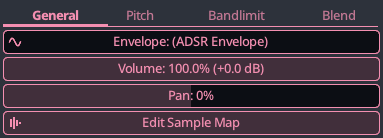
- Edit Sample Map : Press this button to open sample map editor. This sample map supports both ADPCM A and B format samples.
Famicom/NES Generators
This section will cover the various Famicom/NES generators and their parameters. This section assume some knowledge of the NES/Famicom and its various audio expansions.
A few notes on the emulation accuracy in regards to the NES:
-
Unless specified, all NES emulation is performed at 1.789773 MHz, which is the NTSC frequency of the original NES/Famicom.
-
Since channels are emulated separately, all cross-channels effects such as the mixing between the 2 square channels or the interactions between the noise/triangle/DPCM channels are not emulated.
NES Square
A NES/Famicom 2A03 pulse channel. Produces a rich pulse wave with variable duty cycle and pitch, ideal for melodies. Period is 11-bit and volume is 4-bit.
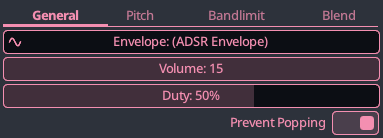
- Duty : The percentage of time the pulse waveform is kept high.
- Prevent Popping : Work around the phase reset that occurs between certain notes on the NES/Famicom using HW sweeps.
NES Triangle
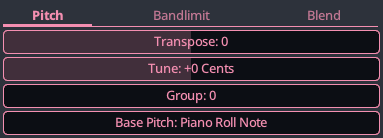
A NES/Famicom 2A03 triangle channel. Generates a stepped triangle wave, often used for basslines or percussion. Period is 11-bit and it has no volume control. Of course, you can cheat by adjusting the volume on the channel, on later down the effect chain.
NES Noise
A NES/Famicom 2A03 noise channel. Produces 16 different white noise tone, perfect for creating drum sounds and sound effects. It also has a couple of extra modes to make it sound more metallic.
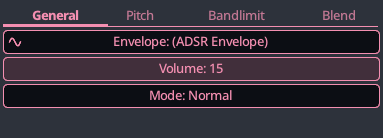
- Mode : Affects how the noise RNG works. On real hardware, you would not be able to explicitly choose between long/short modes.
NES 1-Bit DPCM
A NES/Famicom 2A03 1-bit DPCM channel. Assign DPCM samples to keys of the piano and use them in your songs. Samples can be pitched down with a fixed set of 16 frequencies (NTSC only) and may not always sound in-tune.
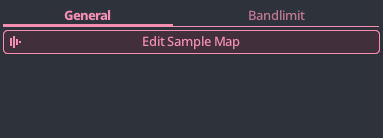
- Edit Sample Map : Press this button to open sample map editor. This sample map supports only 1-bit DPCM samples.
NES 7-Bit PCM
A NES/Famicom 2A03 7-bit PCM channel. Samples can be pitched down and slightly up and may not always sound in-tune when pitched.
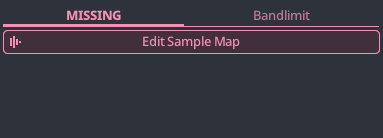
- Edit Sample Map : Press this button to open sample map editor. This sample map supports only 7-bit PCM samples.
NES Famicom Disk System
A Famicom Disk System wavetable channel with adjustable waveform and modulation table, enabling richer tones, vibrato effects, and complex evolving timbres beyond standard NES audio.
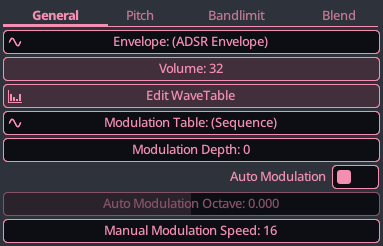
- Edit WaveTable : Opens the wavetable editor. The FDS wavetable had a fixed size. Multi-wave is currently not supported by may be added in the future if there is demand for it.
- Modulation Table : The FDS could modulate the wavetable by a modulation table. This table has a fixed length.
- Modulation Depth : Depth of the modulation, how strong it affects the phase of the wavetable
- Auto Modulation : When enabled, modulation speed will be ratio of the frequency of the playing note, otherwise manually set
- Auto Modulation Octave : Speed of the modulation relative to the frequency of the note (+1 octave = 2x the frequency).
- Manual Modulation Speed : Manually sets the modulation speed
NES VRC6 Square
A Konami VRC6 pulse channel. With its 12-bit period and additional duty cycles, it is more expressive than standard NES squares and does not suffer from any phase reset issues.
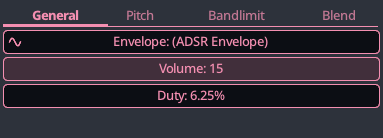
- Duty : The percentage of time the pulse waveform is kept high.
NES VRC6 Saw
A Konami VRC6 saw channel. Generates a distinctive 7-step sawtooth wave, ideal for rich basslines and buzzy leads uncommon on standard NES hardware.
NES VRC7
A Konami VRC7 FM channel based on the Yamaha YM2413, capable of producing rich, metallic, and expressive tones resembling real instruments and complex synth textures.
Besides the list of instrument being slightly different, all parameters are identical to the YM2143.
NES Sunsoft 5B
A Sunsoft 5B channel based on the Yamaha YM2149, capable of generating both tone and noise, enabling versatile melodic and percussive sound design.
The parameters are identical the the YM2149, but emulation is performed at the NES frequency (1.789773 MHz), which is slightly lower that the YM2149 generator. This may lead to some notes sounding slightly more out of tune.
NES Namco 163
A Namco 163 wavetable channel capable of custom 4-bit waveforms, enabling rich, evolving timbres and complex polyphonic textures uncommon in other Famicom expansions.
The emulation does not perform multiplexing since each note emulates a single channel. This mean emulation is KiraStudio will sound cleaner than it would on real hardware.
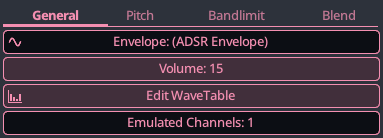
- Edit WaveTable : Opens the wavetable editor. Multi-wave is supported.
- Emulated Channels : Even though the emulation only simulates a single channel, it cam run the chip with extra blank channels present, leading to a grittier sound.
Game Boy Generators
This section will cover the various Game Boy generators and their parameters. This section assume some knowledge of the Game Boy audio.
All Game Boy emulation is performed at 4.194304 MHz.
Game Boy Square
A Game Boy square channel generating pulse waves with variable duty cycles, used for melodies, harmonies, and classic chiptune leads.
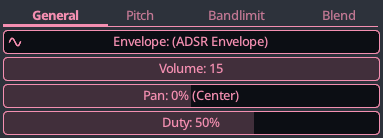
- Duty : The percentage of time the pulse waveform is kept high.
Game Boy Noise
A Game Boy noise channel producing white or periodic noise, ideal for percussion, hi-hats, and sound effects.
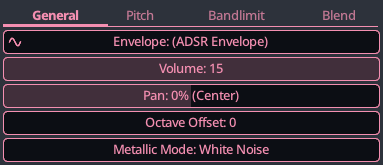
- Octave Offset : The GB noise can generate 128 unique sounds, but the app piano only has 108 keys. This offsets the entire piano by 1 or 2 octaves to reach the other tones.
- Metallic Mode : Affects how the noise generates its RNG and changes the tone of the noise.
Game Boy Wave
A Game Boy wave channel playing back 4-bit custom waveforms, allowing unique timbres, bass tones, and sampled-like textures uncommon in other handhelds.
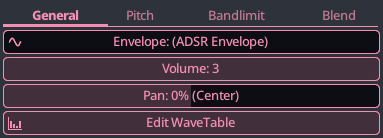
- Edit Wavetable : Press this button to open the wave table editor.