Change Log
Version history / release notes for each release.
Version 1.1.2
Fixes:
- Fixed issues with compressor effect when the side-chain channel was located below the channel using the compressor
- Fixed crash when trying to open a file with an unrecognized extension
- Fixed parsing of MIDI files containing system exclusive messages
- Fixed filters not working on wavetable generator
- Fixed import of stereo samples being twice as long as they should and padded with zeroes
- Fixed sample rate conversion when importing samples with rate higher than 48KHz
- Fixed release point on custom curves constantly coming back on undo/redo
- Fixed crackling audio when using generic FM generators in projects using low update frequencies
- Fixed some soundfont samples unintentionally being but short
- Fixed effect chain colors not being updated in mixer view
- Fixed SuperSaw generator breaking when using 3 oscillators and 100% mix/falloff
- Slightly reduce memory usage when exporting audio (still pretty bad in most cases)
- Improved consistency of parameters in the floating toolbar when editing 1-bit DPCM samples
- Improved parsing of MIDI file containing quantization errors, such as notes OFF -> ON on the same tick
Version 1.1.1
Changes:
- Added the frequency response diagram to the generator filters
Fixes:
- Fixed some soundfonts sounding out of tune
- Fixed some keyboard shortcuts not working anymore
- Fixed piano roll floating toolbar closing when resizing the piano roll on tablets
- Fixed slide notes editing when selecting notes accross multiple instances of the same pattern
- Fixed crash opening files from storage on IOS
Version 1.1.0
This is a major release, please visit the release highlight page for a breakdown of the most important changes.
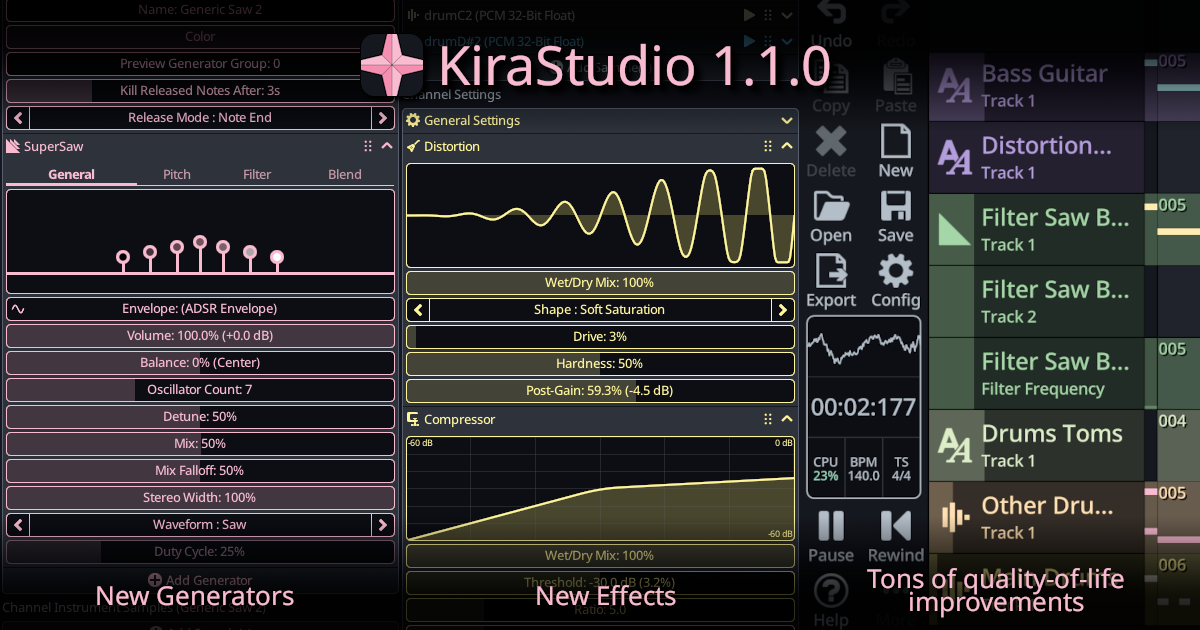
Changes:
- Introduced the CloudSeed reverb effect
- Introduced a Compressor with optional side-chain support
- Introduced a Distortion effect
- Introduced a SuperSaw generator
- Introduced a generic noise generator
- Added dedicated filters to all generic generators
- Expanded ADSR envelope support to most parameters (no longer limited to 0–100% ranges)
- Added support for custom tuning (A not 440 Hz), fully automatable
- Added 16-bit WAV export option
- Channels can now be exported as separate audio files
- The note parameter editor in the piano roll is now resizable
- Added MIDI controller input support on mobile
- Added velocity support for MIDI controller input
- Most objects (songs, instruments, channels, tracks, effects, generators) can now be duplicated
- Improved multi-selection: hold CTRL to add to selection across most views
- On mobile, long-press "Del" in the 8-bit Calculator to clear the expression
- Patterns can now be merged into larger ones using the option from the context menu
- Added mixdown and L/R swap options to the Pan effect
- Generators and effects can now be muted individually
- Added scale highlighting to the piano roll
- Delay effect now supports quarter-note units, smooth delay time automation has been fixed
- Songs and instruments can now be imported from other projects
- Added sorting and filtering to the sound font preset list
- Added a progress bar during project and sound font loading to prevent freezes/crashes on some mobile devices
- Added a temporary loop section in the sequencer
- Added basic support for generator groups with arpeggios (switching groups stops previous arpeggiated notes)
- Added BPM and time signature indicators to the toolbar, along with general UI improvements
- Added a preview generator group on instruments
- The first loop of the SMPL chunk in wave files is now imported
- Multiple parameter curves can now be edited simultaneously (other curves will match the edited one)
- Pressing the playhead play button now correctly starts playback
- MIDI export now exports velocity and slide notes, but pitch bend will affect all playing notes
- More complete online documentation
- Performance improvements on all platforms
- Added Spanish translation (thanks LagMage!)
Breaking/Behavior Changes:
- Samples have been moved from the project to the instruments. This conversion will be done automatically when opening older projects, duplicating samples if needed. Samples that were loaded but unused by any instruments will be discarded.
- The "transpose" parameter will no longer be rounded to an integer and can now smoothly glide between notes.
Version 1.0.7
Fixes:
- Fixed crash doing undo/redo after editing different types of ADSR envelopes
- Fixed crash when simultaneously playing and resizing the pop-up piano on IOS
- Fixed MIDI export not exporting the last channel
- Fixed Delay effect misbehaving when set to 0ms
Version 1.0.6
Fixes:
- Fixed crash dragging patterns outside of the sequencer
- Fixed crash when moving patterns while song is playing
- Fixed crash using the "Merge Identical Patterns" features while the song is playing
- Fixed crash using arpeggios and hitting the instrument "Kill released notes after" time limit
- Fixed crash when manipulating invalid time signature
- Fixed swapped stereo panning on YMF262
- Fixed possibility of created notes/vertices beyond the last pattern of a song
- Fixed vertex picking in automation editor for vertices near edges of patterns
Changes:
- Added chinese translation to IOS/MacOS
Version 1.0.5
Fixes:
- Fixed crash deleting last instrument channel when piano roll is open
- Fixed system language detection
- Fixed icon alignment in some context menus
Version 1.0.4
Fixes:
- Fixed CTRL+E keyboard (Export Audio) shortcut that was not hooked up
- Fixed playback inconsistencies when copy/pasting generator parameters with envelopes
- Fixed wave tables using multiple waves not immediately restarting at wave #0
Changes:
- Added ability to display multiple channels as ghost notes
- Added clear undo/redo on save and autosave options on mobile.
- Added support for dragging MIDI files in the window to open them on desktop
- Added support to save some UI settings (splitter positions, expanded sections, snapping options, etc) so they can persist when restarting the app
- Added Portuguese translation (Thanks Sharper and Omega Zero!)
- Upgraded Built-in GeneralUser GS Soundfont to 2.0.3 and improved the quality of looping samples.
Version 1.0.3
Fixes:
- Fixed crash moving notes on top of each other introduced in 1.0.2
Version 1.0.2
Fixes:
- Fixed crash trying to play notes without instruments (gray)
- Fixed crash playing audio after undo/redo a set/clear loop point
- Fixed crash using soundfonts with zones lacking sample IDs
- Fixed crash pasting between projects
- Fixed more crashes when trying to save on a full disk, read-only folders, etc.
- Fixed a few crashes and issues on tablet when the bottom panel becomes too small with certain scalings
- Fixed files not truncating on Android, meaning they would only grow in size, never shrink
- Fixed notes in instanced patterns loosing their selection in the piano roll when moving them
Changes:
- Improved overzealous fling gesture on IOS causing views to always scroll a bit after lifting your finger.
- Added a few error messages when failing to open project files (new version, corrupted, etc.)
- Added list of already loaded soundfonts to avoid having to having to constantly open from storage
- Added context menu to solo/mute channels
- Added support for drag and dropping samples in the window to load them (Desktop-only)
- Added keyboard shortcuts to control snapping in Piano Roll and Automation Track editor (Alt+S toggles snap, Alt+1/2/3/4/6/8 changes grid)
- Added a single decimal to generic square duty cycle so we can do 12.5% for example
- Added context menu to type in note parameter values : select notes, right-click in note param editor or long press on the scale on mobile
- Added slide notes in ghost notes
- Added ability to use per-note curves on all duty cycle parameters
- Added Chinese translation for real this time, was missing on Windows in 1.0.1 (Thanks FREirc!)
Version 1.0.1
Fixes:
- Fixed incorrect automation track value when starting the song exactly on a vertex that is alone in a pattern
- Fixed crash using "select all" in a Sequence automation
- Fixed crash pasting curves then using undo/redo
- Fixed crash loading some soundfonts
- Fixed crash right-clicking (or long pressing on mobile) past the end of the song on the timeline
- Fixed crash trying to bind "Enter" as a keyboard shortcut
- Fixed crash unloading projects with missing soundfont presets
- Fixed crash when exporting to a full disks, read-only folders, etc. on Windows
- Fixed crash playing after deleting an instrument
- Fixed crash when changing channel instrument when automation tracks are present
- Fixed note parameter curves disappearing when saving in some situations
- Fixed project explorer not refreshing the channel list when deleting from sequencer, could lead to crash
- Fixed wavetable loop/release points not saving
- Fixed missing note sample colors on C notes when on top of viewport
- Fixed first item of context menus not being highlighting immediately after opening
- Fixed Cmd+Q tooltip being displayed on MacOS, will display Ctrl+Q now
- Fixed FDS modulation table changes not being detected sometimes
- Fixed wavetable playing at wrong frequency after a changing the table size
- Fixed incorrect envelope delay on custom curves
- Fixed window being not-resizable on MacOS, or having the wrong size when maximized
Changes:
- Greyed out the preset min/max when not using a preset (i.e. Custom)
- Changed the min/max frequencies for the EQ so that all frequencies are accessible
- Allowed Project Explorer to be almost 40% smaller.
- Changed default follow mode position to 50%
- Added a shake to the sound font notification so it draws more attention
- Added French and Chinese translations (thanks Lancel0t and FREirc!)
Breaking/Behavior changes:
- The file format has changed, meaning file saved with version 1.0.1 will not open in 1.0.0. This usually never happens in a minor (last digit) update, but we are in the early days of the app and I will need to make a few exceptions.
Version 1.0.0
Initial release.